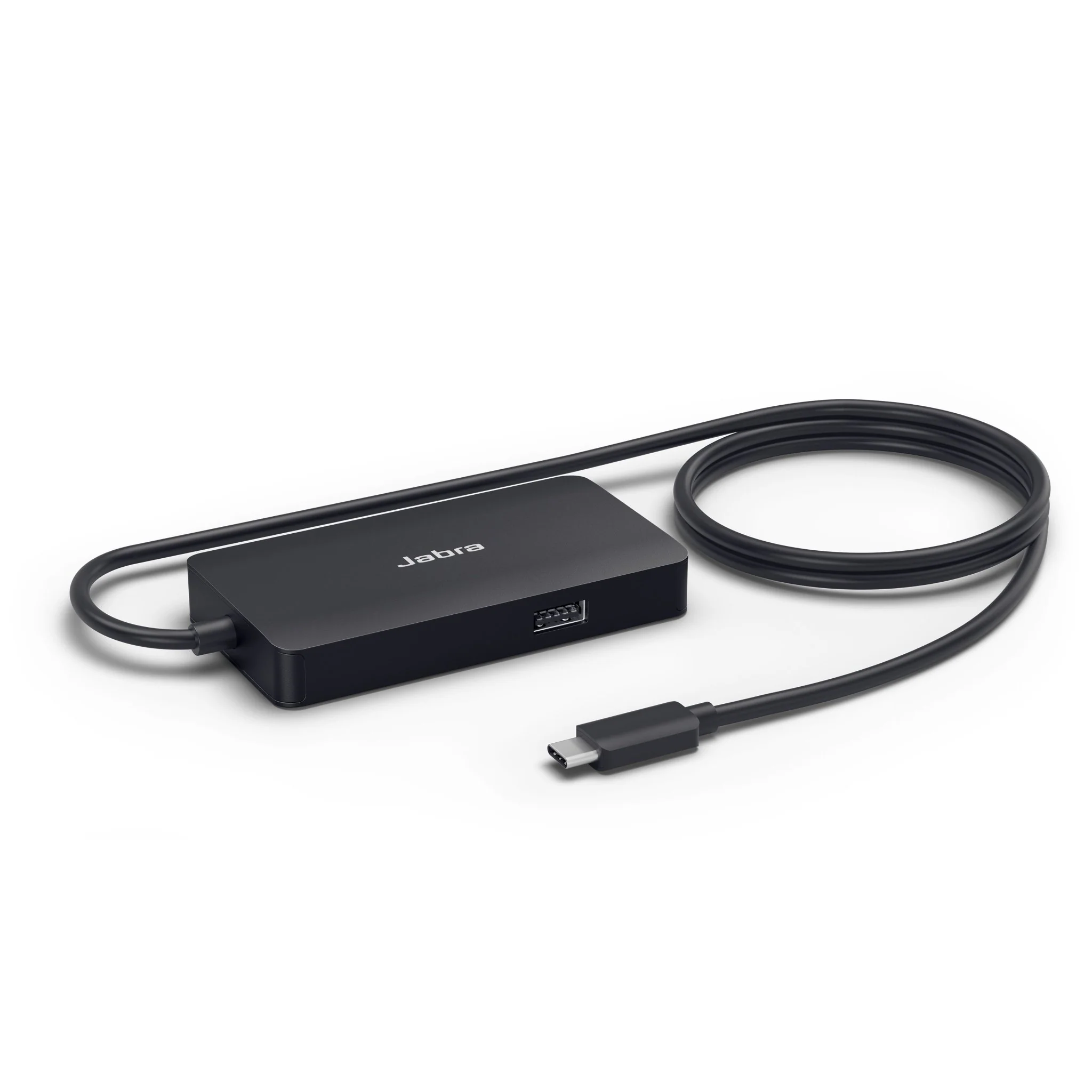
QNAP QNA-UC10G1T USB-C Thunderbolt 10GbE RJ45 Network Ethernet Adapter
10GbE RJ45 Network Power in Your Pocket
Unlock blazing-fast 10GbE connectivity with a USB-C adapter that works seamlessly with modern Mac, Windows, and Linux systems — all from a sleek, portable form factor.
Highlights
-
USB-C to RJ45 10GbE adapter with aluminum body
-
Multi-speed support for 10G/5G/2.5G/1G Ethernet
-
Cross-platform support: Windows, macOS, Linux
-
Quiet fanless design for cool and silent performance
-
Read/Write speeds up to 1,181 MB/s
-
Includes 1-meter USB 4 cable
-
Compatible with USB4, Thunderbolt 3 and 4
Ideal Use Cases
-
Creative Professionals: Speed up video editing, 3D rendering, and asset transfers
-
Multimedia Streaming: Enjoy smooth playback of HD/4K media with zero buffering
-
Office & Remote Work: Accelerate file transfers, backups, and cloud sync
-
Team Productivity: Connect to a QNAP 10GbE switch for high-speed collaboration
Key Features
Performance
-
Interface: USB 4 / Thunderbolt 3 & 4 to 10GbE RJ45
-
Multi-Gig Support: 10G/5G/2.5G/1G speeds
-
Throughput:
• SMB Read: 1,181 MB/s
• SMB Write: 1,181 MB/s
• Windows Download: 1,172 MB/s
• Windows Upload: 1,172 MB/s -
Operation: Fanless thermal design for silent use
Compatibility
-
USB: USB 4, Thunderbolt 3 and 4
-
OS Support:
• Windows (requires Marvell AQtion AQC113 driver)
• macOS 12.7 to 15.4 (native support)
• Ubuntu 22.04 with kernel 6.5.0-41 (driver required)
Connectivity
-
Network Port: 10GbE RJ45
-
Cable: Includes 1-meter USB 4 cable
-
Note: Not compatible with Thunderbolt 2 to 3 adapters
Setup & Optimization
-
Recommended MTU: Set Jumbo Frame to 9000 on all devices
-
Power Mode: Set to High Performance for best results
System Setup Instructions
macOS
-
Open System Settings → Network
-
Select QNA Thunderbolt Ethernet → Details
-
Under Hardware, set Configure to Manual → MTU = 9000
Windows
-
Open Settings → Network & Internet
-
Adapter Options → Right-click QNA Adapter → Properties → Configure
-
Advanced Tab → Jumbo Frame = 9KB MTU
NAS (QNAP)
-
Network & Virtual Switch → Interfaces
-
Select Ethernet adapter → Configure → IPv4 → Jumbo Frame = 9000
Summary
The QNAP QNA-UC10G1T is the ultimate plug-and-play 10GbE RJ45 solution for professionals who need speed, silence, and versatility. With USB-C and Thunderbolt compatibility, broad OS support, and sleek portability, it empowers high-throughput workflows across editing, streaming, and business environments — no built-in Ethernet required.
10GbE RJ45 Network Power in Your Pocket
Unlock blazing-fast 10GbE connectivity with a USB-C adapter that works seamlessly with modern Mac, Windows, and Linux systems — all from a sleek, portable form factor.
Highlights
-
USB-C to RJ45 10GbE adapter with aluminum body
-
Multi-speed support for 10G/5G/2.5G/1G Ethernet
-
Cross-platform support: Windows, macOS, Linux
-
Quiet fanless design for cool and silent performance
-
Read/Write speeds up to 1,181 MB/s
-
Includes 1-meter USB 4 cable
-
Compatible with USB4, Thunderbolt 3 and 4
Ideal Use Cases
-
Creative Professionals: Speed up video editing, 3D rendering, and asset transfers
-
Multimedia Streaming: Enjoy smooth playback of HD/4K media with zero buffering
-
Office & Remote Work: Accelerate file transfers, backups, and cloud sync
-
Team Productivity: Connect to a QNAP 10GbE switch for high-speed collaboration
Key Features
Performance
-
Interface: USB 4 / Thunderbolt 3 & 4 to 10GbE RJ45
-
Multi-Gig Support: 10G/5G/2.5G/1G speeds
-
Throughput:
• SMB Read: 1,181 MB/s
• SMB Write: 1,181 MB/s
• Windows Download: 1,172 MB/s
• Windows Upload: 1,172 MB/s -
Operation: Fanless thermal design for silent use
Compatibility
-
USB: USB 4, Thunderbolt 3 and 4
-
OS Support:
• Windows (requires Marvell AQtion AQC113 driver)
• macOS 12.7 to 15.4 (native support)
• Ubuntu 22.04 with kernel 6.5.0-41 (driver required)
Connectivity
-
Network Port: 10GbE RJ45
-
Cable: Includes 1-meter USB 4 cable
-
Note: Not compatible with Thunderbolt 2 to 3 adapters
Setup & Optimization
-
Recommended MTU: Set Jumbo Frame to 9000 on all devices
-
Power Mode: Set to High Performance for best results
System Setup Instructions
macOS
-
Open System Settings → Network
-
Select QNA Thunderbolt Ethernet → Details
-
Under Hardware, set Configure to Manual → MTU = 9000
Windows
-
Open Settings → Network & Internet
-
Adapter Options → Right-click QNA Adapter → Properties → Configure
-
Advanced Tab → Jumbo Frame = 9KB MTU
NAS (QNAP)
-
Network & Virtual Switch → Interfaces
-
Select Ethernet adapter → Configure → IPv4 → Jumbo Frame = 9000
Summary
The QNAP QNA-UC10G1T is the ultimate plug-and-play 10GbE RJ45 solution for professionals who need speed, silence, and versatility. With USB-C and Thunderbolt compatibility, broad OS support, and sleek portability, it empowers high-throughput workflows across editing, streaming, and business environments — no built-in Ethernet required.
Original: $254.58
-65%$254.58
$89.10Description
10GbE RJ45 Network Power in Your Pocket
Unlock blazing-fast 10GbE connectivity with a USB-C adapter that works seamlessly with modern Mac, Windows, and Linux systems — all from a sleek, portable form factor.
Highlights
-
USB-C to RJ45 10GbE adapter with aluminum body
-
Multi-speed support for 10G/5G/2.5G/1G Ethernet
-
Cross-platform support: Windows, macOS, Linux
-
Quiet fanless design for cool and silent performance
-
Read/Write speeds up to 1,181 MB/s
-
Includes 1-meter USB 4 cable
-
Compatible with USB4, Thunderbolt 3 and 4
Ideal Use Cases
-
Creative Professionals: Speed up video editing, 3D rendering, and asset transfers
-
Multimedia Streaming: Enjoy smooth playback of HD/4K media with zero buffering
-
Office & Remote Work: Accelerate file transfers, backups, and cloud sync
-
Team Productivity: Connect to a QNAP 10GbE switch for high-speed collaboration
Key Features
Performance
-
Interface: USB 4 / Thunderbolt 3 & 4 to 10GbE RJ45
-
Multi-Gig Support: 10G/5G/2.5G/1G speeds
-
Throughput:
• SMB Read: 1,181 MB/s
• SMB Write: 1,181 MB/s
• Windows Download: 1,172 MB/s
• Windows Upload: 1,172 MB/s -
Operation: Fanless thermal design for silent use
Compatibility
-
USB: USB 4, Thunderbolt 3 and 4
-
OS Support:
• Windows (requires Marvell AQtion AQC113 driver)
• macOS 12.7 to 15.4 (native support)
• Ubuntu 22.04 with kernel 6.5.0-41 (driver required)
Connectivity
-
Network Port: 10GbE RJ45
-
Cable: Includes 1-meter USB 4 cable
-
Note: Not compatible with Thunderbolt 2 to 3 adapters
Setup & Optimization
-
Recommended MTU: Set Jumbo Frame to 9000 on all devices
-
Power Mode: Set to High Performance for best results
System Setup Instructions
macOS
-
Open System Settings → Network
-
Select QNA Thunderbolt Ethernet → Details
-
Under Hardware, set Configure to Manual → MTU = 9000
Windows
-
Open Settings → Network & Internet
-
Adapter Options → Right-click QNA Adapter → Properties → Configure
-
Advanced Tab → Jumbo Frame = 9KB MTU
NAS (QNAP)
-
Network & Virtual Switch → Interfaces
-
Select Ethernet adapter → Configure → IPv4 → Jumbo Frame = 9000
Summary
The QNAP QNA-UC10G1T is the ultimate plug-and-play 10GbE RJ45 solution for professionals who need speed, silence, and versatility. With USB-C and Thunderbolt compatibility, broad OS support, and sleek portability, it empowers high-throughput workflows across editing, streaming, and business environments — no built-in Ethernet required.